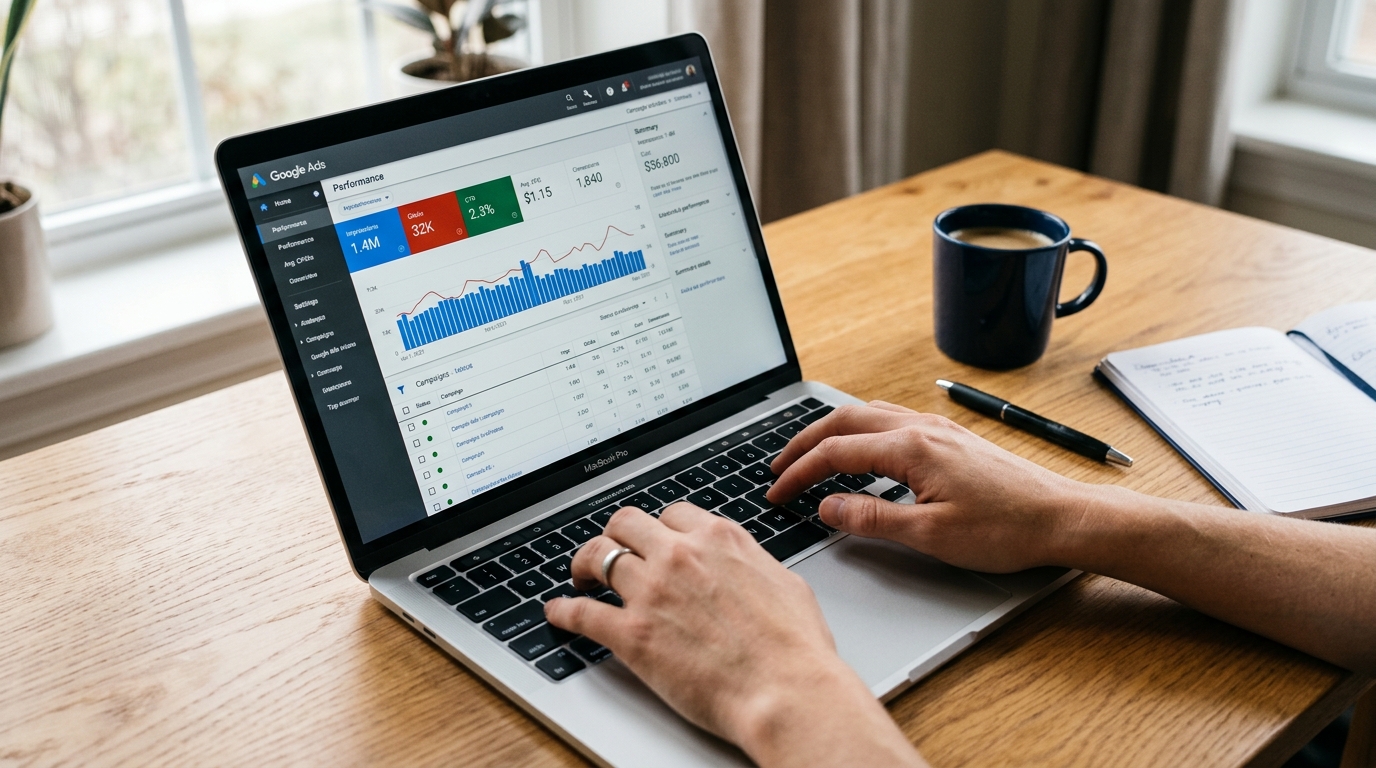
If you searched for "AdWords" and landed here, you are in exactly the right place. Google rebranded AdWords to Google Ads in 2018, but the platform is the same product — and millions of people still use the old name. This article explains what changed, what did not, and what you actually need to know before spending a dollar on the platform.
Google's own sign-up pages are designed to get you running campaigns quickly. What they do not tell you is what to expect from the auction, which campaign type fits your goal, what things realistically cost, or why the first few weeks of data can look misleading. That is what this article covers.
Key Takeaways
- Google AdWords was rebranded to Google Ads in July 2018 — same platform, updated name and expanded features.
- Google Ads uses a pay-per-click auction: you only pay when someone clicks your ad, and your position is determined by bid plus relevance, not budget alone.
- Six core campaign types exist; most beginners should start with Search campaigns because the intent signal is clearest and results are easiest to interpret.
- There is no hard account minimum, but getting meaningful data typically requires at least $10–$30 per day in low-competition categories and $50–$100+ per day in competitive industries.
- Set up conversion tracking before your first campaign goes live — without it, you cannot tell which clicks are producing results.
AdWords vs. Google Ads: What Changed and What Did Not
If you have been searching for information using the term "AdWords," you are not behind — you are just using a name that was in market for nearly two decades. Google launched AdWords in October 2000 as its flagship search advertising product. For 18 years, AdWords was the name advertisers used, agencies trained on, and blog posts referenced. The fact that the old name still circulates is completely understandable.
In July 2018, Google officially rebranded AdWords to Google Ads. The rename was partly cosmetic and partly structural: Google used the moment to consolidate several ad products — AdWords, DoubleClick, and AdWords Express — under a single brand. If you bookmarked adwords.google.com, it now redirects to ads.google.com. Same platform, new address.
What stayed the same: the core pay-per-click search advertising model, the keyword auction, and the fundamental way ads appear alongside Google Search results. What changed: the name, the visual interface, and the addition of new AI-powered campaign types that did not exist under AdWords. The platform became more automated over time, but the underlying mechanics the industry learned under "AdWords" still apply.
A quick timeline of the platform's history:
- October 2000 — Google AdWords launches as a self-serve search advertising product.
- July 2018 — Google rebrands AdWords to Google Ads; DoubleClick and AdWords Express are consolidated under the same umbrella.
- 2019–present — Google Ads expands with AI-powered campaign types including Performance Max, Smart Bidding automation, and Demand Gen campaigns.
The short version: AdWords and Google Ads are the same thing. When you read older resources that reference AdWords, they are describing the same platform you can access today at ads.google.com.
How Google Ads Works: The Auction Model Explained Simply
Google Ads is built on a pay-per-click (PPC) model — meaning you pay when someone clicks your ad, not when it is shown. Every time someone performs a Google search, an automated auction runs in milliseconds to decide which ads appear and in what order.
Your position in that auction is determined by something called Ad Rank — a score Google calculates using your bid (how much you are willing to pay per click) combined with your Quality Score (how relevant Google judges your ad, keywords, and landing page to be for that specific search). A higher bid without relevance will not guarantee top placement. A highly relevant ad from a smaller advertiser can outrank a larger competitor's generic campaign.
To make this concrete: a local plumber with a tightly written ad, targeted keywords, and a fast-loading landing page about emergency drain repair can pay less per click and appear above a national home services company running a vague ad pointing to a generic homepage. The Google Ads auction rewards relevance — that is a structural advantage for advertisers who take setup seriously.
This intent-based model is what separates Google Ads from social platforms. When someone searches "emergency roof repair," they are telling you exactly what they need, right now. That search intent is the core reason Google Ads works particularly well for businesses with a clear offer.
Where Google Ads Can Appear
- Google Search results (the primary placement for Search campaigns)
- Google Shopping (product listing ads with images and prices)
- YouTube (pre-roll, mid-roll, and display ads)
- Gmail (sponsored promotions in the Promotions tab)
- Google Display Network (banner and image ads across millions of partner websites)
- Google Discover (content feed on Android and the Google app)
Google Ads Campaign Types: Which One Fits Your Goal
One of the most common points of confusion for new advertisers is that "Google Ads" is not one type of advertising — it is a platform that supports six distinct campaign types, each built for different goals and audiences. Picking the wrong type is one of the most common ways beginners waste early budget.
The table below is designed to help you match your goal to the right campaign type before you touch any settings.
| Campaign Type | Best For | Budget Sensitivity | Automation Level |
|---|---|---|---|
| Search | Leads, calls, purchases from people actively searching | Medium — needs enough volume to generate clicks | Semi-automated (manual bidding available; Smart Bidding recommended) |
| Performance Max | Broad reach across all Google channels from one campaign | High — needs conversion data to optimize; low budgets underperform | Fully AI-managed |
| Shopping | E-commerce product sales with images and prices | Medium — competitive in retail categories | Semi-automated |
| Display | Retargeting existing visitors; brand awareness | Low to medium — CPCs are typically lower than Search | Semi-automated |
| YouTube / Video | Upper-funnel awareness; products that need demonstration | Medium to high — requires quality video creative | Semi-automated |
| Demand Gen | Social-style discovery on YouTube Shorts, Gmail, and Discover | Medium — best with established creative assets | Fully AI-managed |
The practical starting point for most beginners: Search campaigns. The reason is simple — the intent signal is clearest. When someone types a query into Google, you know exactly what they are looking for. Results from Search campaigns are also the easiest to read and act on when you are new to the platform.
Performance Max sounds appealing because it runs across every Google channel automatically, but it requires solid conversion tracking data to function well. Without it, the algorithm has nothing to optimize toward and will burn through budget inefficiently. Display campaigns have low CPCs but rarely convert cold audiences — they work best as retargeting tools, not primary acquisition channels.
A simple goal-to-type mapping:
- Roofing company wanting calls from homeowners searching for roof repair → Search
- Online shoe retailer → Shopping (or Shopping within Performance Max once you have conversion data)
- SaaS company launching a new product → YouTube or Demand Gen for awareness, then Search for direct response
- E-commerce brand retargeting site visitors → Display or Performance Max
How Much Does Google Ads Cost: Realistic Budget Expectations
Google Ads has no hard minimum to open an account. But "no minimum" is not the same as "works with any budget." Getting meaningful data — enough to know whether your campaigns are working and to make informed optimization decisions — requires spending enough to generate statistically useful clicks and conversions.
As a practical baseline: in lower-competition niches, a daily budget of $10–$30 can generate enough activity to learn from. In competitive industries like legal services, financial products, or insurance, you may need $50–$100 or more per day to see enough volume to optimize.
The table below shows typical average cost-per-click (CPC) ranges by industry category, based on WordStream's 2025 Google Ads benchmarks. These are industry-typical estimates — actual CPCs vary by competition level, geographic market, Quality Score, and keyword match type.
| Industry Category | Typical CPC Range (Search) |
|---|---|
| Legal (personal injury, criminal defense) | $15 – $50+ per click |
| Financial services and insurance | $10 – $40 per click |
| Home services (HVAC, plumbing, roofing) | $5 – $20 per click |
| B2B software and SaaS | $8 – $30 per click |
| E-commerce and retail | $1 – $5 per click |
| Local services (restaurants, salons, gyms) | $1 – $4 per click |
A personal injury attorney in a major metro might pay $40 or more per click. A local bakery targeting "custom wedding cakes" in their city might pay under $2. The difference comes down to how many other advertisers are competing for the same searches.
A few cost mechanics worth understanding before you set a budget:
- Quality Score affects your actual CPC. Higher relevance between your ad, keywords, and landing page lowers your effective cost per click. Budget alone does not determine results.
- Daily budgets average out monthly. Google may spend up to twice your daily budget on a high-traffic day, but it averages out to your monthly target (daily budget × 30.4). You will not be charged more than your monthly cap.
- Agency management fees are a separate cost. If you work with an agency, management fees add to your total investment. Agencies that charge a percentage of ad spend earn more as your budget grows — which creates an incentive to increase spend regardless of performance. A flat-fee management model keeps that incentive separate from your spend level, so the agency's focus stays on results rather than budget growth.
If you are still weighing whether Google Ads is the right investment for your business before committing a budget, evaluating whether PPC advertising will deliver results for your specific situation is a useful prior step.
How to Get Started with Google Ads: What to Do Before You Spend a Dollar
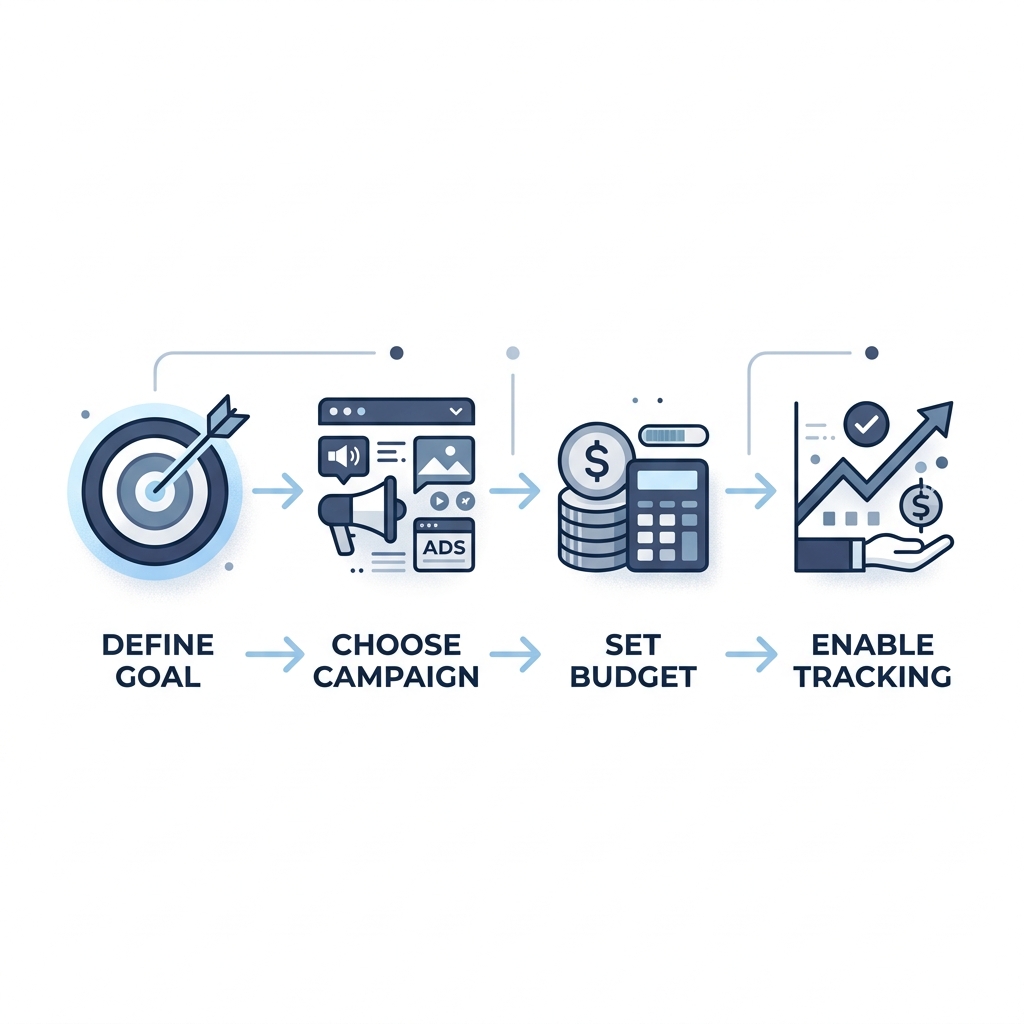
Most of the budget waste beginners experience is not caused by the platform — it is caused by skipping setup steps that seem optional but are not. The single most important thing you can do before activating any campaign is set up conversion tracking.
Conversion tracking tells Google (and you) which clicks are resulting in a meaningful action — a form submission, a phone call, a purchase, a sign-up. Without it, you are paying for clicks with no way to know which ones are working. Google's optimization algorithms also depend on conversion data to improve targeting over time. Skipping this step does not just hurt your reporting — it actively degrades campaign performance.
Beyond tracking, the sequence matters:
- Define your primary goal first — leads, sales, calls, awareness, or app installs. Your goal determines your campaign type. Do not open campaign settings until you know this.
- Match your goal to the right campaign type using the table above.
- Set a daily budget you can sustain for at least 30 days — meaningful optimization requires time and data volume.
- Build a negative keyword list before launch. Negative keywords tell Google which searches you do not want to appear for. Skipping this step is one of the most common ways beginners pay for irrelevant clicks.
- Write at least three ad variations per ad group so Google can test which messaging performs better.
- Verify your landing page matches your ad's promise and loads quickly. A fast, relevant landing page improves your Quality Score and increases conversions.
The learning period is real — and predictable. Google's algorithm needs approximately 50 conversions per campaign per month to exit learning mode and begin optimizing reliably. In the first two weeks, your cost per click may be higher and your conversion rate may look worse than it will be at 60 days. Google is still learning which users convert for your specific offer. If no one warns you about this, the first month looks like failure. It is not — it is the normal stabilization period.
Plan for 2–4 weeks of noisier-than-usual data before drawing conclusions, and at least 60–90 days before making major structural changes.
Before You Launch Your First Google Ads Campaign
- [ ] Set up conversion tracking before activating any campaign
- [ ] Define your primary goal (leads, sales, calls, awareness, app installs)
- [ ] Match your goal to the appropriate campaign type
- [ ] Build a negative keyword list before launch
- [ ] Set a daily budget you can sustain for at least 30 days of data
- [ ] Write at least three ad variations per ad group
- [ ] Confirm your landing page matches the ad's promise and loads fast
- [ ] Understand the learning period — expect 2–4 weeks before data stabilizes
If managing campaigns starts to feel like a part-time job, professional management is worth considering. A flat-fee arrangement means the agency's income is not tied to how much you spend — which keeps their incentives aligned with your results rather than your budget size.
Google Ads vs. Meta Ads vs. Microsoft Ads: Choosing the Right Platform
No platform is universally right. The honest answer to "should I use Google Ads?" depends on where your customers are, whether they are actively searching or passively browsing, and whether your budget can generate enough data to optimize effectively.
| Dimension | Google Ads | Meta Ads (Facebook/Instagram) | Microsoft Ads (Bing) |
|---|---|---|---|
| Targeting basis | Search intent — keywords users are actively typing | Demographics, interests, and behavioral signals | Search intent — keywords on Bing, Yahoo, and partner sites |
| Best use case | High-intent lead gen, e-commerce, local services | Brand awareness, visual products, interest-based audiences | Supplemental search reach; B2B audiences; cost-efficient testing |
| Typical CPC range | $1 – $50+ depending on industry | $0.50 – $3+ (though CPMs are the primary pricing model) | Often 20–35% lower than Google Ads in comparable categories |
| Audience size | Largest search network globally | Largest social network globally | Smaller overall; skews older and higher-income in many markets |
| Best for (goal type) | Purchase intent, service inquiries, product searches | Discovery, storytelling, brand building, retargeting | Budget-efficient search complement to Google; B2B prospecting |
When Google Ads is the stronger choice: your customers are actively searching for what you sell, you have a specific offer with clear demand, and your budget can sustain at least a 30–60 day test. The intent signal — someone typing a query that matches your product or service — is Google's core structural advantage over social platforms.
When Meta Ads may fit better: you are building brand awareness, your product is highly visual, your audience is not yet searching for what you sell, or you want to reach people at the discovery stage before they know they need you.
When Microsoft Ads makes sense: you want to extend search reach with lower CPCs in many categories, you are targeting an older or professional demographic, or you want to test a campaign before scaling it on Google.
When Google Ads may not be the right first channel: your budget is very limited and you have no conversion history to help the algorithm optimize, your product has no meaningful search demand, or your brand's value is best communicated through visual storytelling rather than text-based intent matching.
When you are ready to explore what managed Google Ads could look like for your business, Tailored Marketing's Google Ads management operates on a flat monthly fee with month-to-month contracts and a first-month refund — so the starting commitment is low and the agency's incentives stay aligned with your outcomes, not your spending level.
Yes. Google AdWords and Google Ads are the same platform. Google rebranded AdWords to Google Ads in July 2018 to reflect the platform's expansion beyond search-only advertising. The core pay-per-click auction model, keyword targeting, and Search campaign functionality are unchanged. If you find older tutorials or guides that reference AdWords, the mechanics they describe still apply.
There is no hard account minimum, but generating enough data to make informed decisions typically requires at least $10–$30 per day in lower-competition niches and $50–$100 or more per day in competitive industries like legal services, finance, or home services. Plan to sustain that budget for at least 30 days before evaluating results — the platform's learning period needs time and data volume to stabilize.
Search campaigns show text ads to people actively searching for your keywords on Google Search — they give you the most direct control over targeting and are the easiest for beginners to interpret. Performance Max is Google's fully AI-managed campaign type that runs across all Google channels (Search, YouTube, Display, Gmail, Discover, Shopping) from a single campaign. Performance Max requires strong conversion tracking data to work well; without it, the algorithm lacks the signal it needs to optimize and can waste budget across lower-quality placements.
Expect 2–4 weeks of noisier-than-usual data during the learning period while Google's algorithm identifies which users convert for your specific offer. Most campaigns need 60–90 days to generate enough data for reliable optimization. Early results — higher CPCs, lower conversion rates — are normal and expected, not a sign that campaigns are failing.
You can open an account with any budget, but small budgets create real constraints. If your daily budget generates only a handful of clicks per day, it may take months to accumulate enough conversion data to optimize. In high-CPC industries, a small budget may not generate enough volume to draw any conclusions at all. If budget is a concern, Search campaigns in a tightly defined keyword set tend to get more value from limited spend than broader formats like Performance Max or Display.
It depends entirely on your industry and what a converted customer is worth to you. A $30 CPC might be excellent for a business closing $5,000 contracts and terrible for a business selling $25 products. Rather than targeting a specific CPC, focus on your target cost per conversion — work backward from your average customer value to determine how much a lead or sale can cost before your campaigns become unprofitable.
Neither is universally better. Google Ads excels when your customers are actively searching for what you sell — the intent signal is the platform's core structural advantage. Meta Ads (Facebook and Instagram) excels for interest-based targeting, visual products, and audiences who are not yet actively searching. Many businesses benefit from running both, but if you are choosing one to start, the question to ask is: are my customers searching for this, or do they need to discover it first? —
Ready to Move from Understanding to Action?
Understanding how Google Ads works — the auction model, the campaign types, the cost drivers, and the learning period — is the foundation for not wasting budget. Most early losses come from skipping setup steps or mismatching a campaign type to a business goal, not from the platform itself.
If you are at the point where running campaigns yourself is starting to feel like a part-time job, or you want an outside read on an existing account, Tailored Marketing offers flat-fee Google Ads management with month-to-month contracts, no setup fees, and a first-month refund. The flat-fee model keeps the agency's incentives aligned with your results — not your spending level.
When you are ready to explore whether that is the right fit, a free consult is a no-pressure way to find out.
Leave a Reply