
Most beginner PPC guides explain what "pay-per-click" means but skip the part that actually determines whether you make money or waste it: the auction.
Every time someone searches a keyword you're bidding on, Google runs a real-time auction in milliseconds. That auction sets how much you pay per click — and the result is not just about who bids the most. A business bidding $2.00 can beat a competitor bidding $3.00 and pay less per click doing it. That's not a quirk — it's the system working exactly as designed. But if you don't understand how it works, you end up on the wrong side of that equation.
This article covers three things: how the auction actually prices clicks, what those clicks realistically cost by industry, and how to decide whether PPC belongs in your marketing mix right now.
Key Takeaways
- Ad Rank, not just bid, determines your position. A Quality Score of 9 can win the top spot over a competitor with a higher bid but weaker relevance — and pay less per click in the process.
- CPC ranges vary wildly by industry. Legal and finance keywords can run $6–$30 per click on Google Ads; ecommerce keywords often run under $2. Your industry determines your baseline before you've set a single bid.
- Broad match keywords without a negative keyword list will drain your budget. This is the single most common beginner mistake — and it's not a minor tuning issue, it's a structural one.
- PPC and SEO serve different timelines. PPC delivers traffic the day your campaign goes live; SEO compounds over months. Which one fits your situation depends on your goals, margin, and how fast you need results.
- Before spending anything, install conversion tracking. Without it, you'll have no way to connect clicks to customers — and every other metric becomes meaningless context.
What Pay-Per-Click Advertising Actually Is
Pay-per-click advertising is a model where you pay only when someone clicks your ad — not when it's shown. That distinction matters.
The alternative model, CPM (cost per thousand impressions), charges you for exposure regardless of whether anyone engages. PPC flips that: your ad can appear 1,000 times and you pay nothing. The moment someone clicks, you pay. A plumber bidding on "emergency plumber near me" might have their ad shown to 500 searchers in a day but receive only 25 clicks — they pay for 25 clicks, not 500 impressions.
Where PPC ads appear:
- Google Ads — text ads at the top and bottom of search results; the default starting point for most businesses chasing purchase intent
- Microsoft Ads (Bing) — same search-intent model, lower competition, often 20–30% cheaper CPC, smaller audience
- Meta Ads (Facebook/Instagram) — interruption-based; targets audiences by demographics and behavior rather than search intent; better for awareness and remarketing than direct conversion
- Amazon Advertising — product-level ads inside Amazon search results; purpose-built for ecommerce with buyers already in purchase mode
What ties all of these together is the keyword or audience trigger concept: your ad doesn't run on random pages or at random people. It shows because someone searched a specific term, fits a specific audience profile, or has visited your site before. That targeting precision is what makes PPC expensive relative to display advertising — and what makes it valuable when set up correctly.
The cost of each click isn't a fixed rate you negotiate with Google. It's set by a real-time auction every single time someone searches. Understanding that auction is the difference between a campaign that works and one that burns through budget with nothing to show for it.
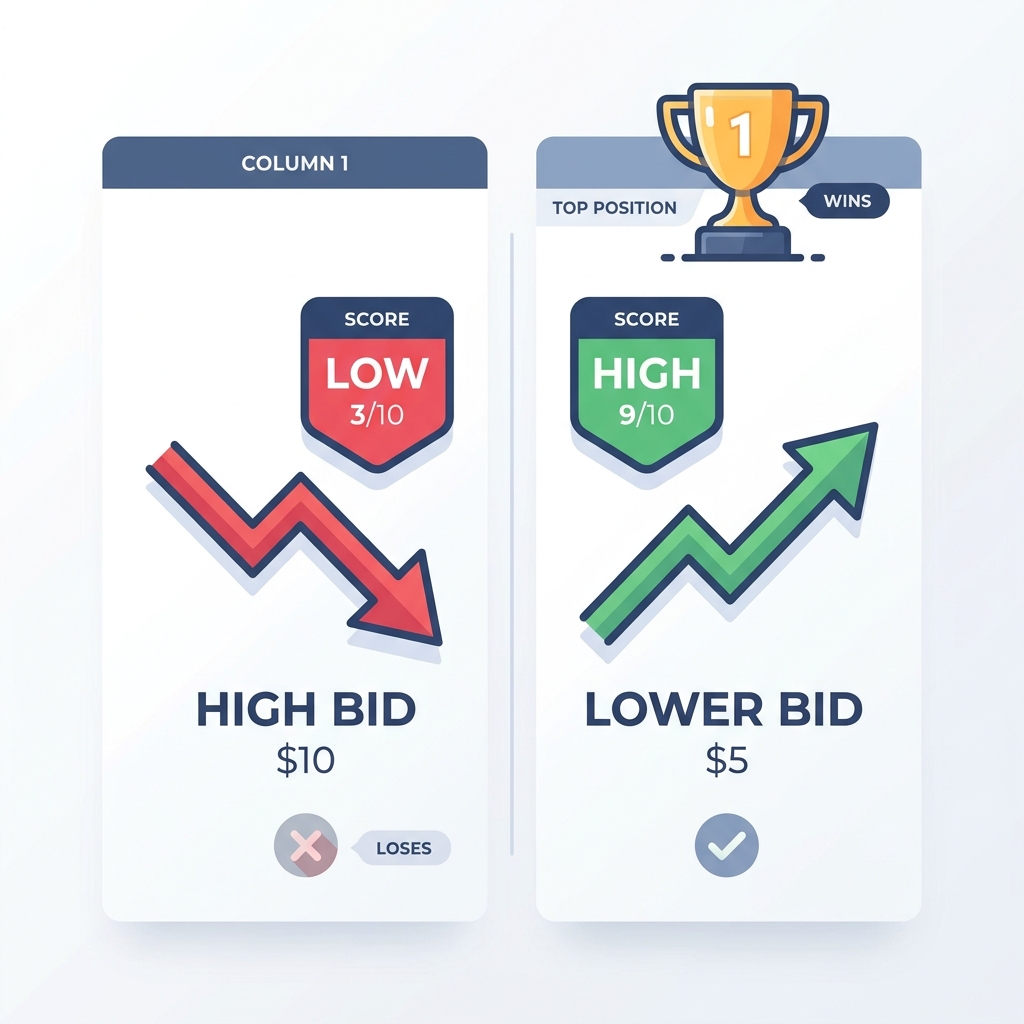
How the PPC Auction Works: Ad Rank, Quality Score, and What You Actually Pay
Here's the mechanism most beginner guides skip entirely.
Every time a relevant keyword is searched, every eligible advertiser enters an auction. Google calculates an Ad Rank score for each advertiser, then uses those scores to determine who gets which position — and what each advertiser actually pays per click.
Ad Rank is roughly: Bid × Quality Score (plus a few other signals)
That means your Quality Score is a multiplier on your bid. A high Quality Score doesn't just improve your ad — it reduces what you actually pay per click at any given position.
What Quality Score Measures
Quality Score is Google's 1–10 rating of how relevant and useful your ad is for a given keyword. It has three components:
- Expected click-through rate — How likely is your ad to get clicked when shown? Google estimates this based on historical performance for similar ads.
- Ad relevance — How closely does your ad copy match the keyword being searched? Bidding on "divorce attorney" and running a generic "contact our law firm today" ad hurts here.
- Landing page experience — Does your landing page actually deliver on what the ad promises? Fast load times, relevant content, and a clear call to action all factor in.
The Counterintuitive Part: Better Relevance Beats Bigger Budgets
This is the most important thing a beginner can understand about PPC. A well-built campaign — with tightly matched ad copy and a relevant landing page — can outrank and outperform a competitor who outspends you. The auction rewards relevance, not just deep pockets.
Here's what that looks like with real numbers:
| Advertiser A | Advertiser B | |
|---|---|---|
| Max Bid | $3.00 | $2.00 |
| Quality Score | 4/10 | 9/10 |
| Ad Rank | 12 | 18 |
| Position | #2 | #1 |
| Actual CPC Paid | ~$1.68 | ~$1.34 |
Advertiser B bids less, wins the top spot, and pays less per click — because their Quality Score is more than twice as high. Advertiser A is burning more budget to sit in second place.
The actual CPC you pay is determined by what the advertiser below you needed to bid to hold your spot, divided by your Quality Score, plus a penny. The cleaner your setup — relevant keywords, specific ad copy, matching landing page — the less you pay per click at any placement.
If you want to dig into the technical detail behind how Google calculates Ad Rank, Google's official Quality Score documentation covers each component clearly.
Keywords, Match Types, and Why Negative Keywords Save Your Budget
Keywords are what trigger your ads. But the way you specify those keywords — the match type — controls how broadly or narrowly Google interprets them. Getting this wrong is the fastest way to burn through your budget on traffic that will never convert.
The three match types:
- Broad match — You enter shoes. Google shows your ad for any query it considers related: sneakers, sandals, shoe repair, flip flops, shoe rack. Maximum reach, minimum control.
- Phrase match — You enter "running shoes". Google shows your ad for queries that include that phrase in roughly that order: "best running shoes for women," "running shoes on sale." More controlled than broad, with some flexibility.
- Exact match — You enter [running shoes]. Google shows your ad only when someone searches that specific term (with some close variant allowance). Narrow reach, maximum control, typically the lowest CPC.
| Match Type | Example | Who Sees the Ad | Relative Cost | Best Use Case |
|---|---|---|---|---|
| Broad | shoes | Any loosely related query | Highest | Audience discovery — only with a tight negative keyword list |
| Phrase | "running shoes" | Queries containing the phrase | Moderate | Controlled reach with some flexibility |
| Exact | [running shoes] | Only that specific query | Lowest | High-intent, predictable traffic |
Why Broad Match Without Negatives Is a Budget Leak
Broad match isn't inherently bad — but it is dangerous without negative keywords. A home services company bidding on broad match painter might get clicks from people searching "face painter for kids birthday," "house painter artist Bob Ross," or "painter pants vintage." None of those convert into painting jobs. Without a negative keyword list blocking those terms, every one of those clicks costs real money.
A law firm bidding on "attorney" in broad match can easily pick up clicks for "attorney costume," "attorney jokes," or "attorney salary" — all perfectly plausible related searches in Google's view, none of which represent potential clients.
How to build your negative keyword list from day one:
- Before launch, think through the obvious irrelevant queries your keywords could trigger. Add those as negatives immediately.
- After launch, pull the Search Term Report weekly. This shows the actual queries that triggered your ads — not just the keywords you bid on. Any irrelevant query becomes a new negative.
- Build ongoing. Negative keyword management is not a one-time task; it's a weekly habit, especially in the first 60 days.
Long-tail keywords — specific three-to-five word phrases like "emergency plumber San Diego Sunday" — typically carry lower search volume, lower CPC, and higher purchase intent than short, broad terms. For a new campaign with a limited budget, long-tail keywords are often the best entry point: cheaper to test, easier to write relevant ads for, and more likely to attract visitors who are ready to buy.
What PPC Actually Costs: Industry Benchmarks and Budget Reality
Vague answers about "flexible budgets" and "you control your spend" are how agencies avoid accountability. Real planning starts with knowing what clicks cost in your industry.
According to WordStream's Google Ads benchmark data, average cost-per-click on Google Ads varies significantly by industry:
| Industry | Avg. Google Ads CPC | Notes |
|---|---|---|
| Legal Services | $6–$30 | Highly competitive; intent is high and case values justify the spend |
| Finance & Insurance | $5–$20 | Strong advertiser density for high-LTV keywords |
| SaaS / Software | $3–$15 | Depends heavily on keyword specificity and trial vs. demo intent |
| Local Services | $2–$10 | Varies significantly by market size and service type |
| Ecommerce | $0.50–$3 | Lower CPC; conversion volume and cart value matter more than CPC alone |
| Healthcare | $2–$10 | Regulated categories; Quality Score carries extra weight |
Three things drive the spread within each range: keyword competition level (how many advertisers are bidding on the same terms), buyer intent strength (commercial keywords cost more than informational ones), and your own Quality Score (which can move your actual CPC meaningfully up or down from the industry average).
What a Starting Budget Actually Needs to Accomplish
A budget isn't just a spending limit — it's a data collection tool. Before you can evaluate whether a campaign is working, you need enough clicks to draw meaningful conclusions. The rough standard: 30–100 clicks per ad variation before making optimization decisions. At 10 clicks, you have noise, not signal.
A concrete scenario: A local service business sets a $1,500/month budget at an average $5 CPC. That generates approximately 300 clicks per month. If the landing page converts at 10%, that's 30 leads. Whether $1,500 for 30 leads is a good deal depends entirely on the value of each lead — a plumbing job worth $600 makes that math look very different than a $30 product sale.
For a SaaS company selling a $200/month subscription: if the tolerable cost per acquisition is $40, a $4 CPC with a 10% conversion rate works. A $10 CPC requires a 25% conversion rate to break even. That math should be on the table before you spend the first dollar.
One note on daily budget mechanics: Google can spend up to twice your daily budget on high-traffic days, smoothing it out over the month so you don't exceed your monthly total. Your daily budget is a target, not a hard ceiling on any given day. Set your monthly target first, then divide by 30 to find your daily input.
PPC vs. SEO: When to Use Each and When to Use Both
This question deserves a real answer, not a both-sides hedge.
PPC starts working the day your campaign goes live. Traffic is immediate, targeting is precise, and you can test messaging, offers, and keywords in weeks rather than months. The tradeoff: the moment you pause your budget, the traffic stops. There's no compounding — you're renting the placement.
SEO is the opposite. A well-executed SEO strategy — including building organic search visibility through link authority — can take 6–12 months to generate meaningful results. But once it compounds, the cost per visit drops over time, and traffic continues even when no one is actively spending. For lower-margin businesses where $5–$10 CPCs are hard to justify, SEO is often the more sustainable play.
There's also a strategic case for running PPC first, then SEO. PPC campaigns reveal which keywords actually convert — not just which ones get traffic. That data is worth something: it can inform your entire SEO content strategy so you're building content around terms with demonstrated commercial intent rather than volume guesses.
For evaluating whether PPC makes sense for your specific business situation — including margin requirements, competitive density, and budget floor — a deeper look at the channel's fit criteria helps before committing spend.
Here's how to think about the channel decision based on your situation:
| Business Situation | PPC First | SEO First | Use Both |
|---|---|---|---|
| New business, need leads now | ✓ | ||
| Low margin, limited budget | ✓ | ||
| Time-sensitive promotion or launch | ✓ | ||
| Building long-term brand authority | ✓ | ||
| Using keyword data to inform content strategy | ✓ | ||
| Established business with steady revenue | ✓ |
The PPC-stops-when-budget-stops concern is legitimate — acknowledge it honestly. It's a real characteristic of the channel, not a flaw to dismiss. The answer isn't to pretend it doesn't matter; it's to build your SEO foundation in parallel so you're not permanently dependent on paid traffic.
The Most Common PPC Mistakes (and How to Avoid Them Before You Launch)
These aren't edge cases. They're the default path for anyone who follows a "getting started with Google Ads" tutorial without understanding the auction mechanics behind the steps.
1. Running broad match keywords without a negative keyword list The campaign looks like it's spending. The clicks don't convert. You conclude "PPC doesn't work." What actually happened is that your ads showed for queries with zero purchase intent and no one told you. A negative keyword list on day one prevents this.
2. Sending all traffic to the homepage If someone searches "emergency HVAC repair" and clicks your ad, then lands on your homepage with a slideshow and three navigation options, the visit is probably over. The landing page should match the keyword and the offer — specifically and directly. Mismatched landing pages destroy Quality Score and conversion rate simultaneously.
3. Not setting up conversion tracking before launch This one is foundational. Without conversion tracking, you cannot tell which keywords led to phone calls, form submissions, or purchases. You're flying blind. Every optimization decision you make will be based on incomplete or misleading data. Set this up first, verify it works, then launch.
4. Setting it and forgetting it Google's automated bidding systems are good — but they're not a replacement for human oversight in the first 60 days. Pull your search term report weekly. Look at what queries are actually triggering your ads. Add negatives. Adjust bids on underperforming keywords. A campaign left untouched for a month in its early stages will almost always drift toward waste.
5. Pausing campaigns too early Most beginners quit at 10–15 clicks per ad variation and conclude the campaign isn't working. That's not a conclusion — that's the beginning of data collection. You need 30–100 clicks per variation before the conversion rate numbers mean anything. Pausing early locks in a loss without giving the campaign a fair evaluation.
Pre-Launch PPC Checklist
Before you go live, confirm every one of these:
- [ ] Conversion tracking is installed and verified — a test conversion confirms it's firing correctly
- [ ] Landing page matches the ad's keyword and offer — not the homepage, not a generic services page
- [ ] Negative keyword list is built from day one — block obvious irrelevant terms before the first dollar is spent
- [ ] At least one phrase or exact match keyword per ad group — not broad match only
- [ ] Daily budget is set with realistic data expectations — budget for a minimum of 30 clicks before evaluating performance
- [ ] Search term report review is scheduled weekly — especially for the first 60 days
The Metrics That Actually Tell You If PPC Is Working
Reporting CPC and CTR without connecting them to conversions is how an underperforming campaign can look fine on paper. The only number that ultimately matters is whether the revenue from conversions exceeds the cost of the clicks that drove them. But you need to understand the upstream metrics to diagnose why the final outcome is off.
Click-Through Rate (CTR): The percentage of people who see your ad and click it. On Google Search, industry benchmarks from WordStream put the average across industries at roughly 3–5%. A CTR below 1% on a search campaign is a red flag — it usually means your ad copy is poorly matched to the keyword, or the keyword intent doesn't align with what you're offering.
Quality Score: Scores of 7–10 are strong and typically translate to lower CPCs. Below 5 means the keyword, ad, and landing page are misaligned somewhere — and you can diagnose each component separately. Low expected CTR is an ad copy problem. Low ad relevance means the keyword doesn't match what you're saying. Low landing page experience is a page content or UX problem.
Cost Per Conversion: This is the outcome metric — the number that tells you if the economics work. If you're paying $5 per click and converting 5% of visitors, your cost per conversion is $100. Whether $100 is acceptable depends on your margin. CPC alone tells you nothing.
ROAS (Return on Ad Spend): Total revenue attributed to ads divided by total ad spend. A ROAS of 3x means you generated $3 in revenue for every $1 spent. Break-even ROAS depends on your margin — a business with 50% margins needs at least 2x ROAS to cover cost of goods; a business with 20% margins needs 5x just to break even.
| Metric | What It Measures | Benchmark to Watch | If the Number Is Off |
|---|---|---|---|
| CTR | Ad relevance and appeal | 3–5% (Google Search) | Rewrite ad copy; check keyword-to-ad alignment |
| Quality Score | Keyword, ad, and landing page relevance | 7–10 is strong; below 5 is a problem | Diagnose each component separately |
| Cost Per Conversion | Efficiency of the full funnel | Depends on your margin and LTV | Check landing page conversion rate first |
| ROAS | Revenue return on ad spend | 2x+ (varies by margin) | Evaluate keyword intent and landing page offer |
| Conversion Rate | Landing page effectiveness | 2–5% (varies by industry) | Test landing page copy, form friction, page speed |
Conversion tracking is a prerequisite for all of this — not an optional extra. Without it, CTR and CPC exist in a vacuum with no connection to business outcomes.
Ready to Run PPC Without Learning by Burning Through Budget?
If you've gotten through this article, you now understand more about how the PPC auction works than most business owners who've already spent thousands on Google Ads. That's the starting point — but setup, match type discipline, negative keyword management, Quality Score improvement, and weekly search term report reviews all take real time.
If you'd rather not figure all of that out by burning through your first month of budget, we're happy to have an honest conversation about whether Google Ads management makes sense for your business.
Tailored Marketing manages Google Ads for small-to-mid-sized businesses on a flat monthly fee — the fee doesn't increase as your ad spend increases. That structure exists because percentage-of-spend agencies have a direct financial incentive to grow your spend, not your results. Flat fees align the agency's interest with improving your performance.
There are no setup costs to get started, contracts are month-to-month, and there's a first-month refund on the management fee if it's not what you expected. The goal is to make getting started a low-risk decision — not a long-term commitment you have to reverse-engineer your way out of.
No urgency, no pressure. If you're at the point where you're weighing whether to manage this yourself or get support, we're worth a conversation.
It depends on your industry CPC and how many clicks you need to generate useful data. A realistic starting point for most small businesses is $1,000–$2,500/month in ad spend — enough to collect 200–500 clicks at average CPCs and begin drawing meaningful conclusions. Legal and finance businesses may need more to compete. Ecommerce businesses with $1–$2 CPCs can often start with less. The rule of thumb: budget for at least 30 clicks per ad variation before evaluating performance.
A "good" CPC is one where the math works — meaning the cost per conversion it implies is within your acceptable range given your margin and customer lifetime value. Industry averages range from under $1 for some ecommerce categories to $30+ in legal. Your Quality Score can move your actual CPC significantly above or below the industry average. A $5 CPC can be excellent for one business and unsustainable for another.
PPC (pay-per-click) is the advertising model — you pay only when someone clicks your ad. CPC (cost-per-click) is the metric — the dollar amount you pay for each click. You run a PPC campaign; the CPC is what that campaign costs per click. They're often used interchangeably in casual conversation, but PPC describes the mechanism and CPC describes the price.
Your ads can appear in search results within hours of launching a campaign. Early data — enough to make basic optimization decisions — typically starts accumulating within the first two weeks if your daily budget supports 10–20 clicks per day. However, statistically meaningful conclusions about conversion rate usually require 30–100 clicks per ad variation, which can take 2–6 weeks depending on budget and search volume. Month one is data collection; month two is when optimization decisions become defensible.
Yes, in certain situations — and no in others. PPC makes sense for small businesses with high-value services, strong purchase intent in their keywords, and a landing page built for conversion. It's harder to justify on tight margins where a $5–$15 CPC requires a conversion rate that a typical landing page won't deliver. The honest test: take your industry's average CPC, estimate your realistic conversion rate, and calculate the implied cost per customer. If that number works within your margin, PPC deserves a test. If it doesn't, SEO or a different channel may be a better starting point.
Quality Score is Google's 1–10 rating of how relevant your keyword, ad copy, and landing page are to each other and to the searcher's intent. A higher Quality Score means you pay less per click at any given position. To improve it: make sure your ad copy directly references the keyword being searched (not generic messaging), write ads that people actually want to click (higher CTR improves expected CTR), and ensure your landing page delivers exactly what the ad promises — with fast load times and a clear next step. Each Quality Score component can be diagnosed and addressed separately.
The honest answer: self-managing is possible if you're willing to invest real time in the first 90 days — learning match types, building negative keyword lists, reading search term reports weekly, and understanding conversion data. Where most DIY campaigns fail isn't the setup — it's the ongoing discipline. If you go the agency route, the pricing model matters more than the pitch: a flat-fee agency has aligned incentives (they benefit from improving your performance, not growing your spend). A percentage-of-spend agency makes more money when your budget increases, which creates pressure to scale spend rather than improve efficiency.
Leave a Reply